The StowQR Web App Is in Open Beta
StowQR now runs in a browser. Go to stowqr.com/app, sign in with the account you use on your phone, and every tote you own is on a full screen. Nothing to install. It's a beta, so it doesn't do everything the apps do yet. Here is what it does, and what's still to come.
Your whole inventory at once
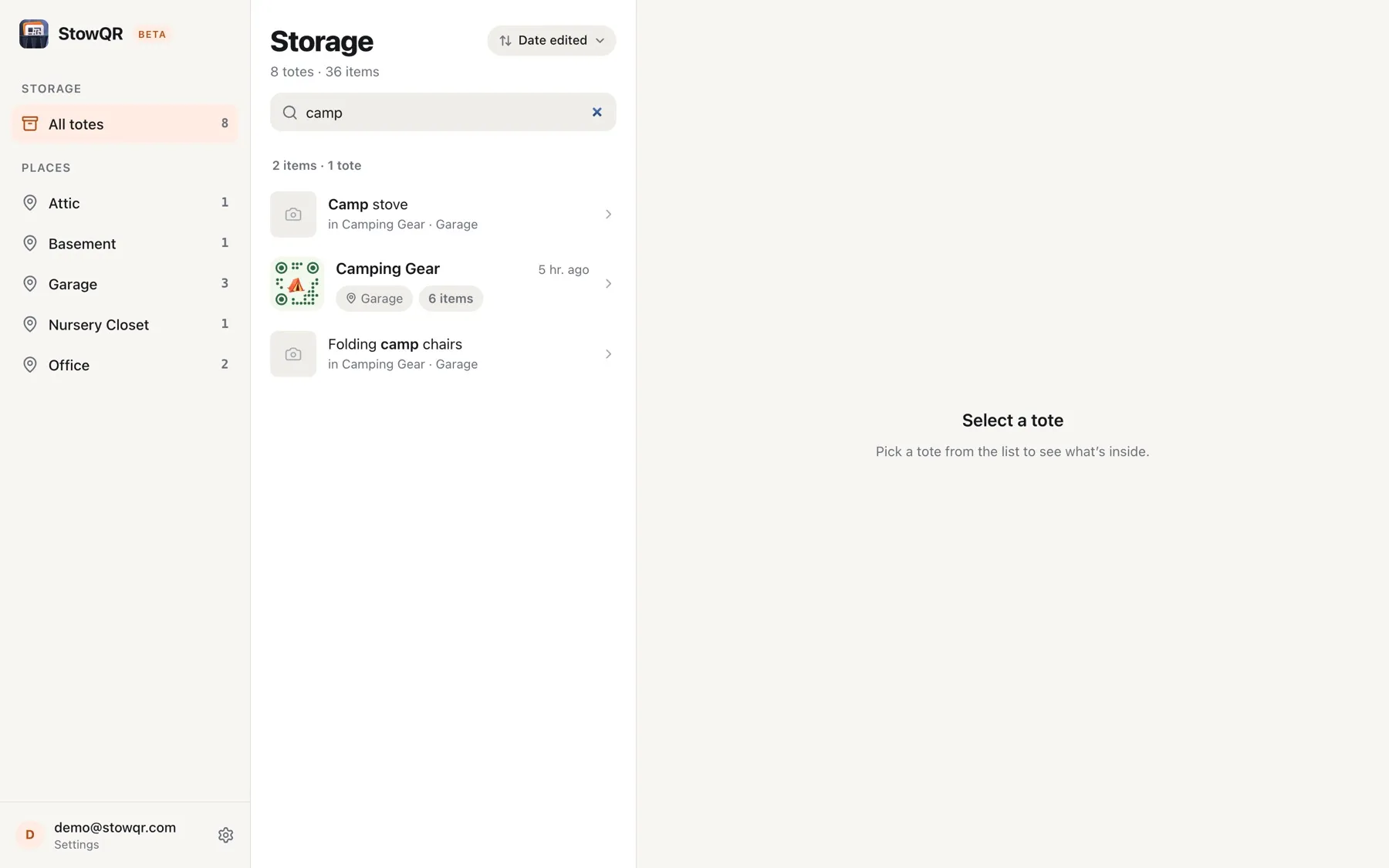
The web app uses the three-column layout from the iPad app. Places run down the left. Your totes sit in the middle, pinned ones first, then grouped by when you last touched them. Whatever you pick opens on the right.
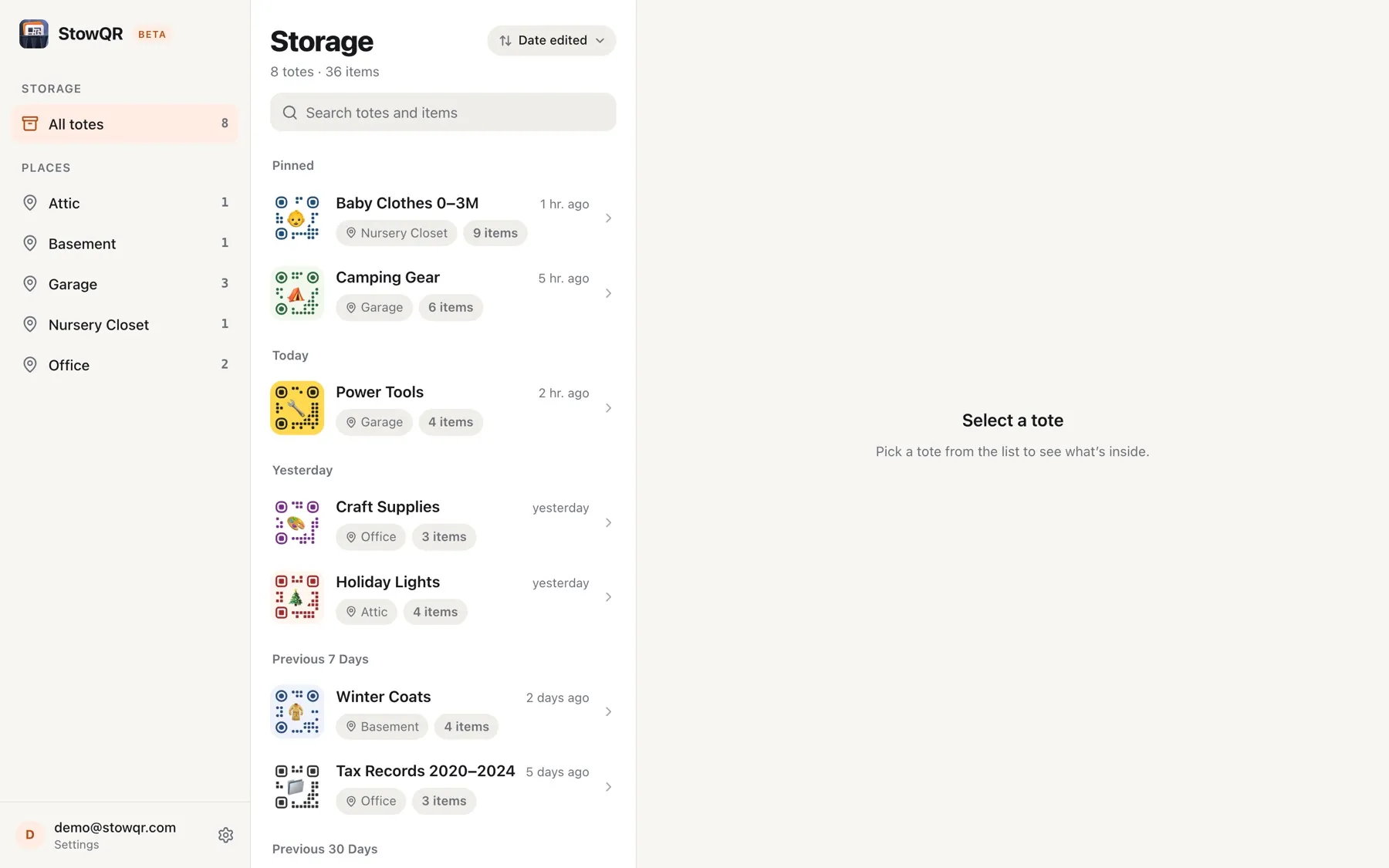
Click Garage in the sidebar and the list narrows to the totes out there. Sort by date edited, date created, or title. A laptop screen fits a whole shelf of totes at once, which is a different way to look at a basement than a few rows on a phone.
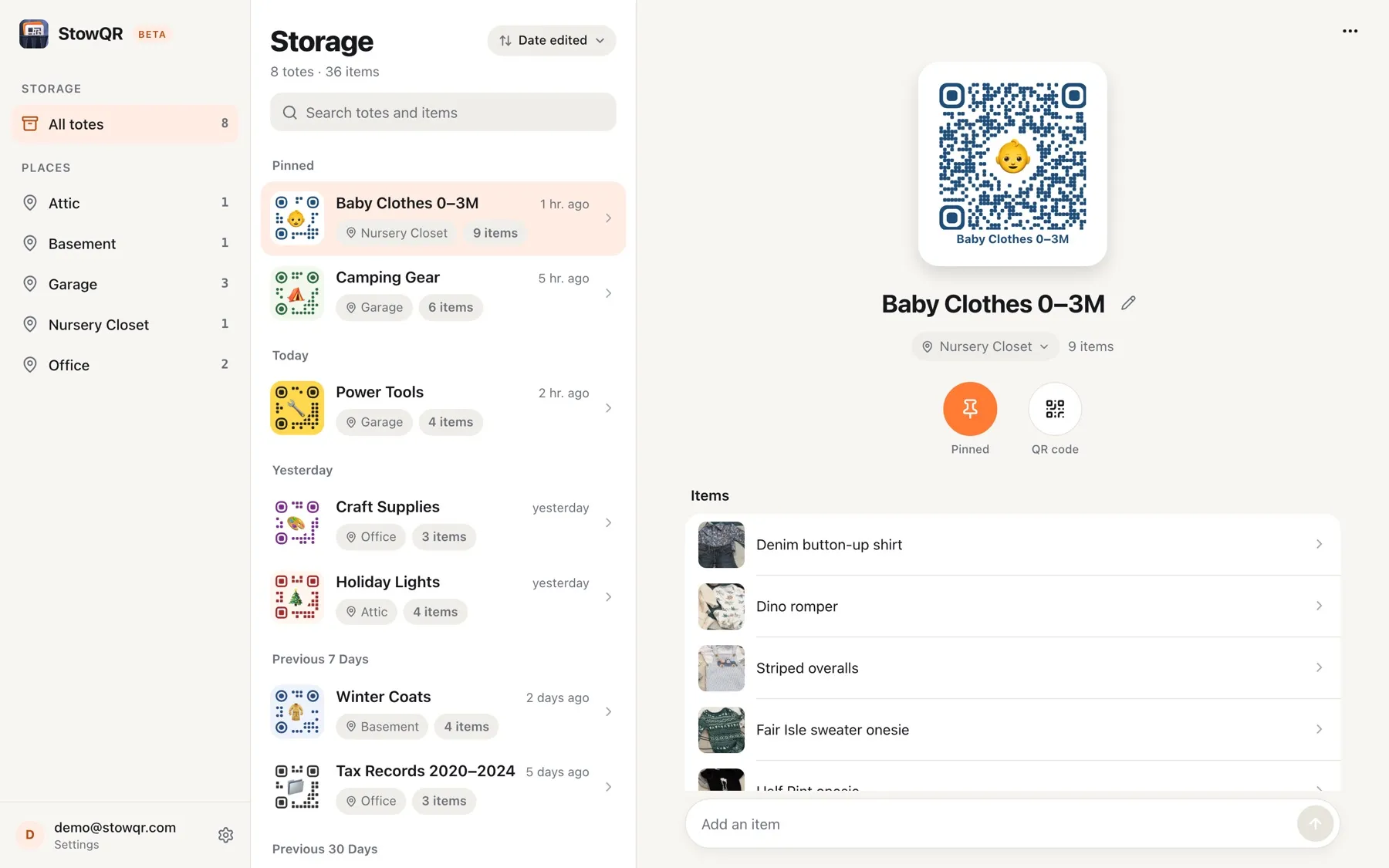
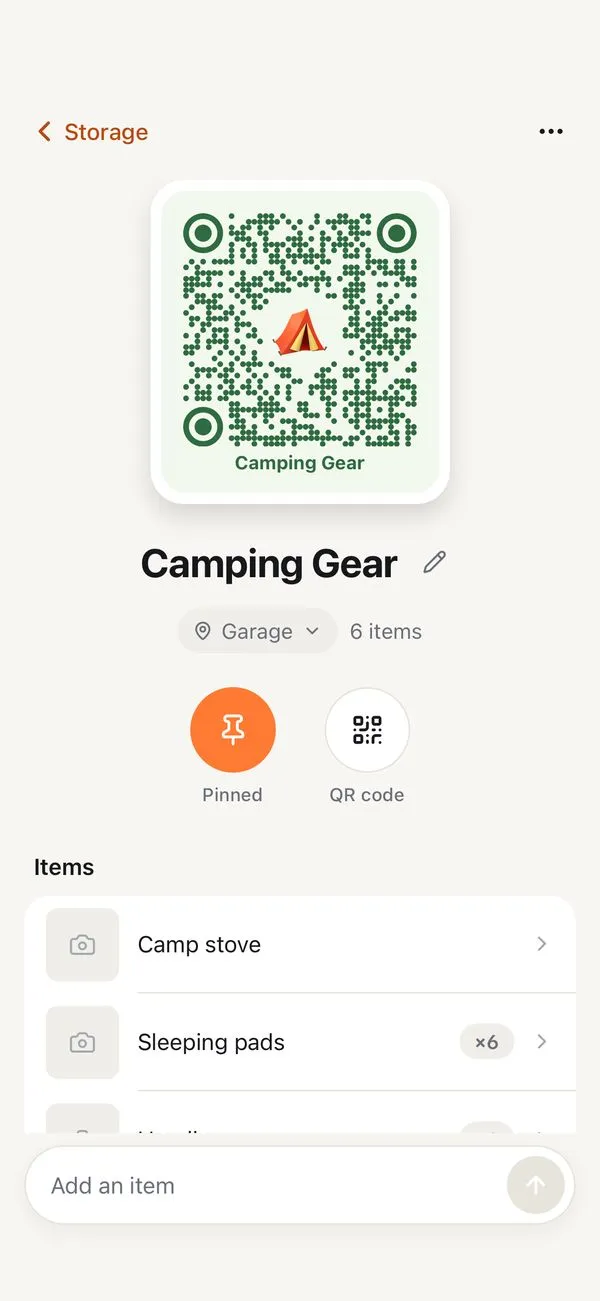
A tote opens with its label at the top, drawn in the colors and emoji you picked on your phone, then the item list with the photos Itemify cropped for you. The box at the bottom adds the next item. Type a name, hit Return, type the next one. Cataloging a tote you already emptied onto a table goes a lot faster with a real keyboard.
Tidy up from a keyboard
Phones are for scanning in the garage. A laptop is for the cleanup afterward. The web app handles the edits that feel fiddly on a small screen:
- Totes. Rename them, move them to a different place, pin the ones you open most, or delete one you emptied.
- Items. Add, rename, and delete them. Set a quantity, write a note, or move an item to another tote when it changes boxes.
- Account. Reset your password, send feedback, sign out, or delete your account from Settings.
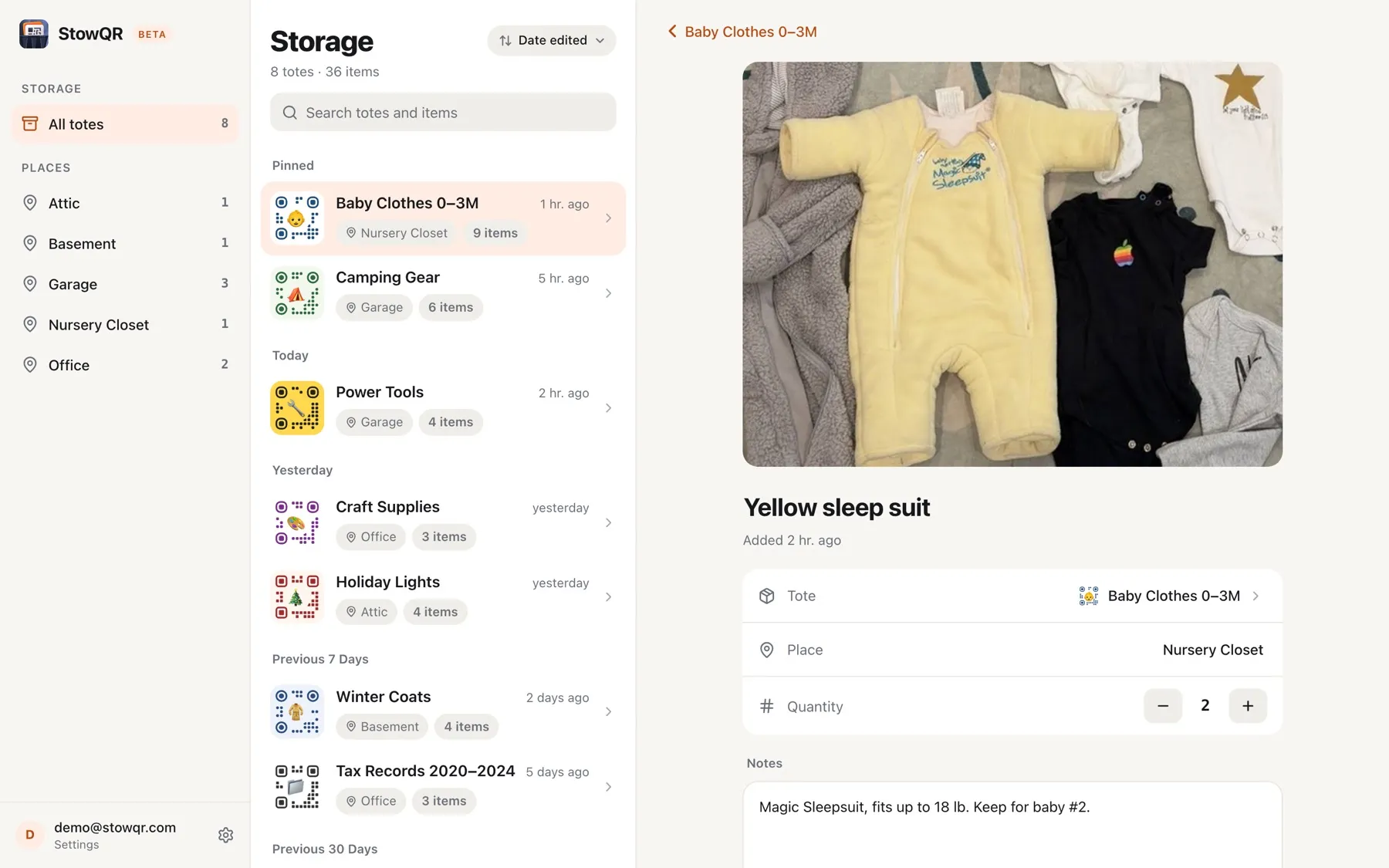
Notes are where the details go that don't fit in a name: sizes, serial numbers, who you lent it to. Notes are easier to write with a keyboard, and anything you type here shows up on your phone right away.
Search
Type “camp” and the web app lists the camp stove, the Camping Gear tote, and the folding chairs, each with the tote and place it lives in. Items and totes rank together the same way they do in the phone apps, so you get the same answer wherever you ask.
Labels that open without the app
Every StowQR label is a link. Scan one with a phone that has the app and the app opens. Until now, a phone without the app had nowhere useful to go.
Now the label opens the tote in the browser. Point any phone camera at it, sign in, and you see what's inside. Handy on a borrowed phone, or for someone in the house who shares your StowQR login but never installed the app.
Labels you printed a year ago work too. Nothing about the QR code changed; there is just a page on the other end of it now.
Not in the beta yet
We would rather ship the parts that work today than wait for everything. For now, use the iPhone or Android app to:
- Create a new tote
- Catalog a tote with Itemify
- Add or replace item photos
- Print labels
- Reorder items within a tote
Tell us which one you want first. The Feedback button in the web app's Settings goes straight to the board we plan from.
FAQ
Do I need a new account?
No. Sign in with Apple, Google, Facebook, or email, whichever you use in the app, and your totes are already there.
Is it synced with my phone?
Live. Rename a tote on the laptop and the new name is on your phone before you pick it up. It's the same inventory, not a copy.
Does it cost extra?
No. The web app comes with your StowQR account, and there is nothing to buy in it. Pro is still sold in the iPhone and Android apps; see the pricing page.
I don't use StowQR yet. Can I start on the web?
You can create an account on the web, but you will need the app to create your first tote and print its label. Start on iPhone or iPad or Android, then open the web app when you want the big screen.
What does “beta” mean here?
It reads and writes your real inventory, so treat edits as real. It is missing the features listed above, and you may hit rough edges. Report them from Settings → Feedback, or email support@stowqr.com.
Try the web app
Sign in with the account you use on your phone. Your totes are waiting.