On the App Store

StowQR for iPhone and iPad.

The QR code home inventory app. Snap one photo to catalog a tote, print a label with AirPrint, and find anything in the garage, attic, or storage unit in seconds.

Download on the App Store
Free. iOS 16 or later.
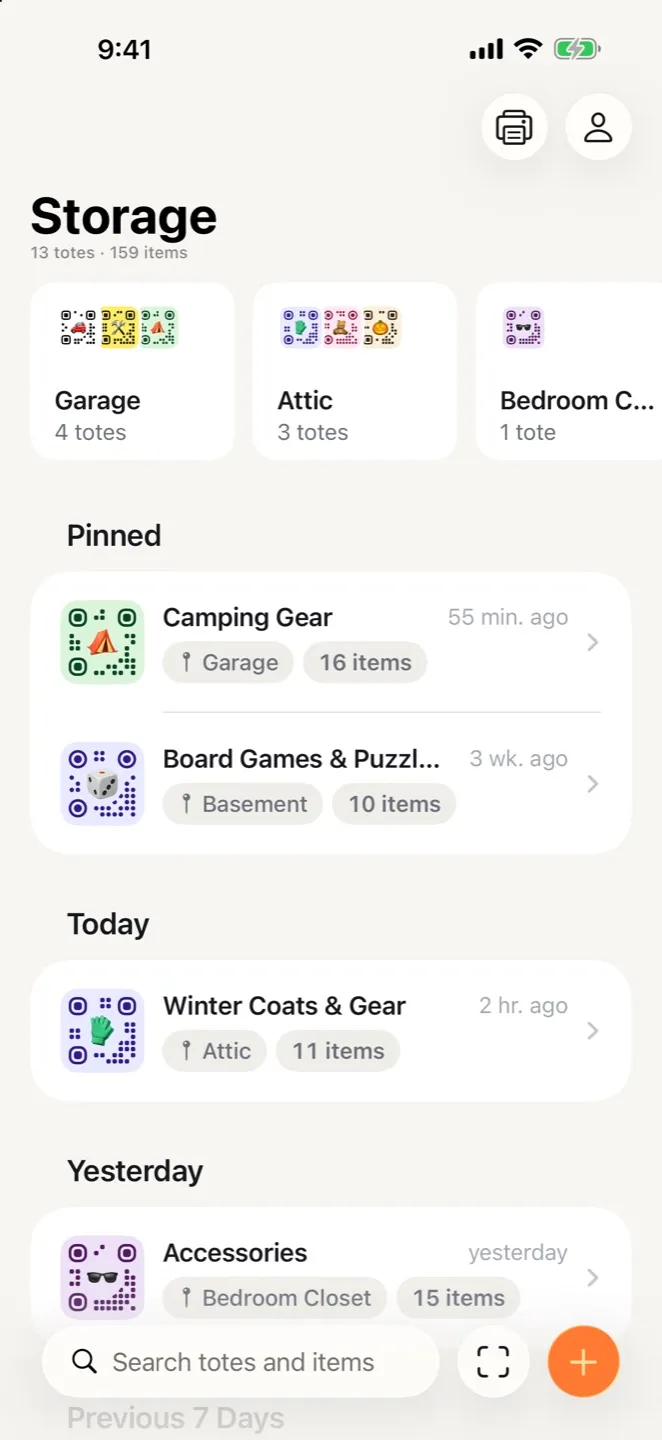
The Storage screen in StowQR on iPhone with place cards and pinned totes
Everything in one app

Snap. Print. Find.

StowQR on iPhone and iPad shares one cloud inventory with the Android app, so a household can mix phones and nobody is left out.

Itemify AI cataloging

Open a tote, take one photo, and every item inside is named and cropped into its own thumbnail. Review the list, fix anything, save. No typing.

Print-it-yourself QR labels

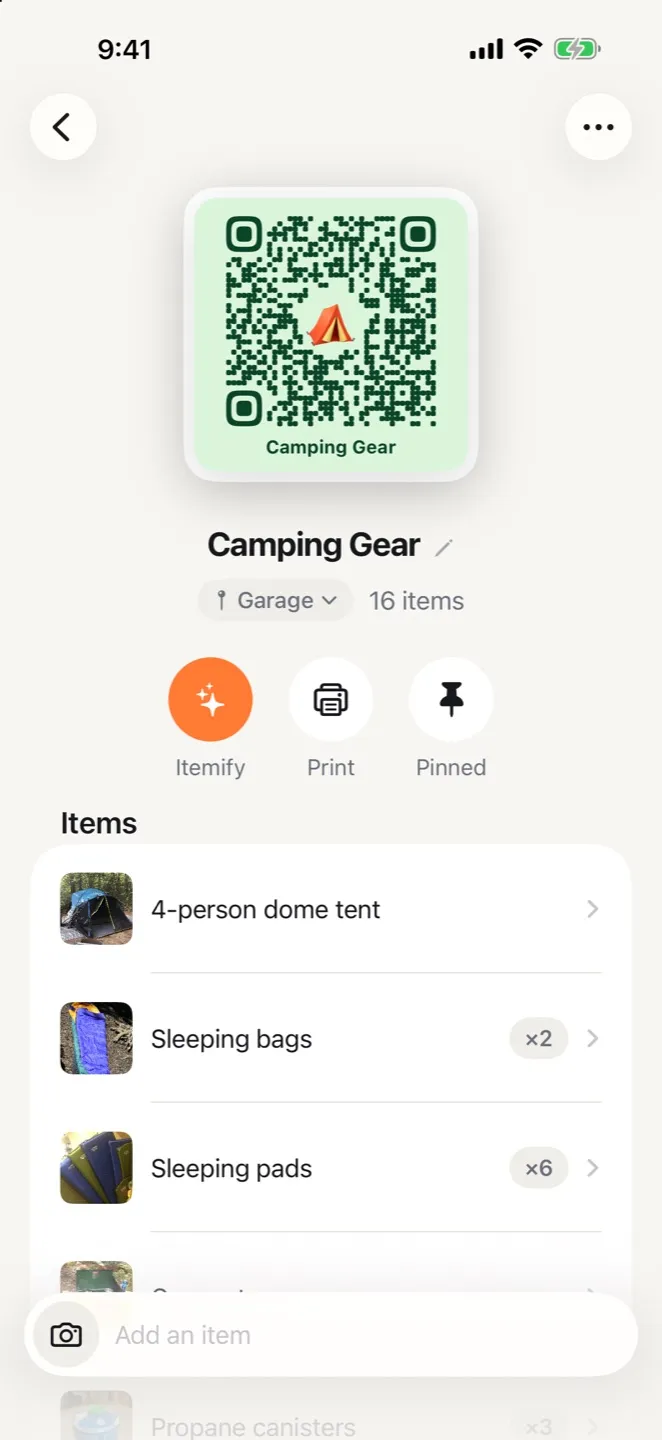
Design each label with a color, an emoji, and a shape, then AirPrint the sheet or share the PDF to email, AirDrop, or Files. Plain paper or Avery sheets.

Search and scan

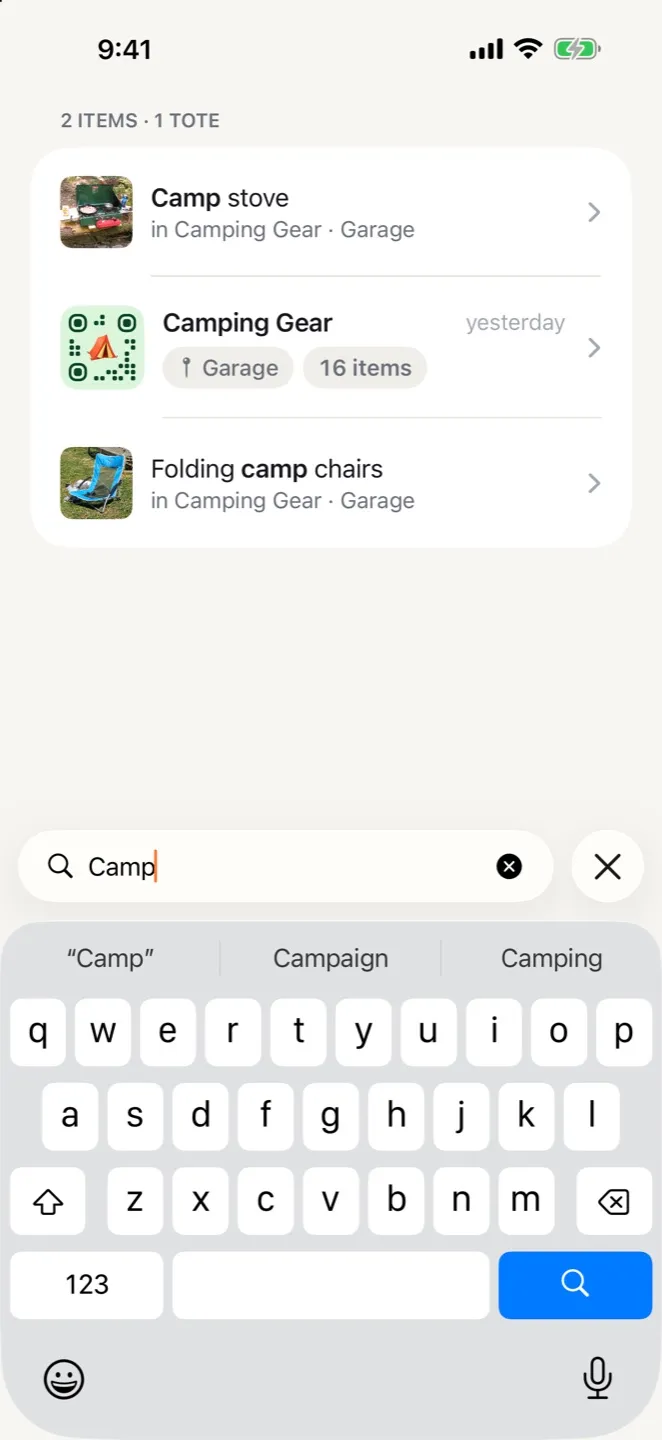
Type a few letters and see which tote holds the thing, and where that tote lives. Or point the camera at a label and the tote opens.

Real-time sync across platforms

Add an item on iPhone and it is on the iPad, or a family member's Android phone, a second later. Export the whole inventory to CSV whenever you want a copy.

iPad

Three columns on iPad.

Places in the sidebar, totes in the middle, and the open tote or item on the right. Rotate the iPad or run StowQR in Split View and it keeps your place.
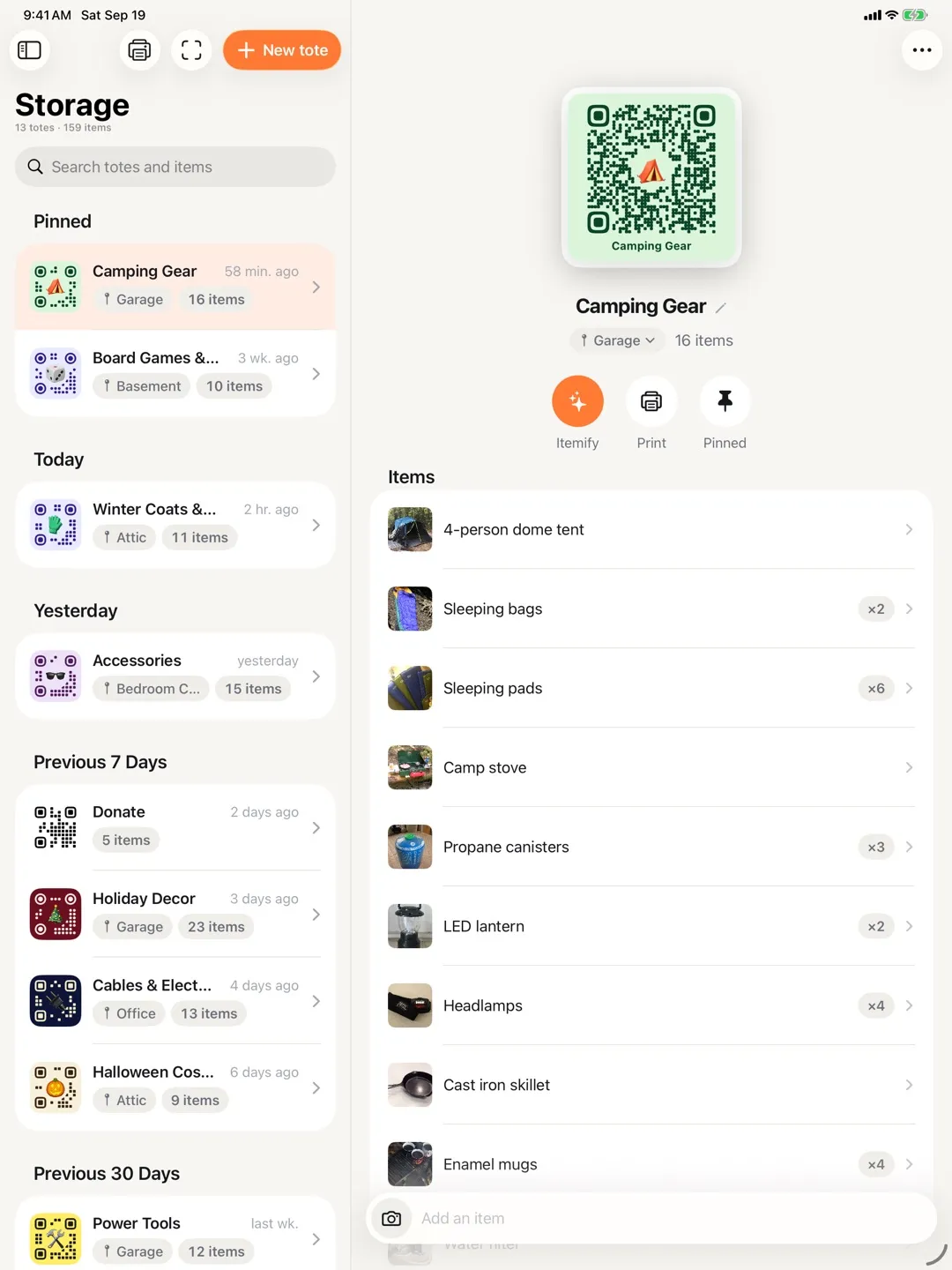
StowQR on iPad showing the Storage list beside the open Camping Gear tote with its QR label and items

Read about the redesigned interface or browse the full feature list. On Android? See StowQR for Android.

Questions

iPhone and iPad, answered.

Which iOS versions does StowQR support?
StowQR runs on iOS 16 and later, on iPhone and iPad. Install it from the App Store.
Is there a proper iPad layout?
Yes. On iPad, StowQR uses a three-column layout: places in the sidebar, totes in the middle, and the open tote or item on the right. It keeps its place when you rotate or run it in Split View.
Can my family use iPhone and Android together?
Yes. One StowQR account works on every platform. Sign in on an iPhone and an Android phone and both show the same totes and items, updated in real time.
How much does StowQR cost on iPhone?
Pro is $29.99 a year after a 3-day free trial, or $99.99 once for lifetime access. Billed through your App Store account, and the same prices apply on Android.
How do I print QR labels from iPhone or iPad?
Tap Print on a tote and send the sheet to any AirPrint printer, or share the print-ready PDF to email, AirDrop it to a Mac, or save it to Files for later. Plain paper and standard Avery label sheets both work.
How do I sign in?
Sign in with Apple, Google, Facebook, or an email and password. The account you pick is the one your inventory follows across devices.
Find anything in seconds
Free on App Store
Get the app