
How to Delete Your Account
If you would like to delete your StowQR account and all associated data, you can do so directly from within the StowQR app on iPhone, iPad, or Android, or from Settings in the web app at stowqr.com/app. This action is permanent and cannot be undone. Your account, totes, items, label templates, and photos are removed from our systems immediately; see the Privacy Policy for what our providers retain and for how long.
Steps to Delete Your Account
- Open the StowQR app on your device.
- Navigate to the Settings tab.
- Scroll down to find the Danger Zone section.
- Tap on Delete Account.
- Follow the on-screen confirmation to permanently delete your account and data.
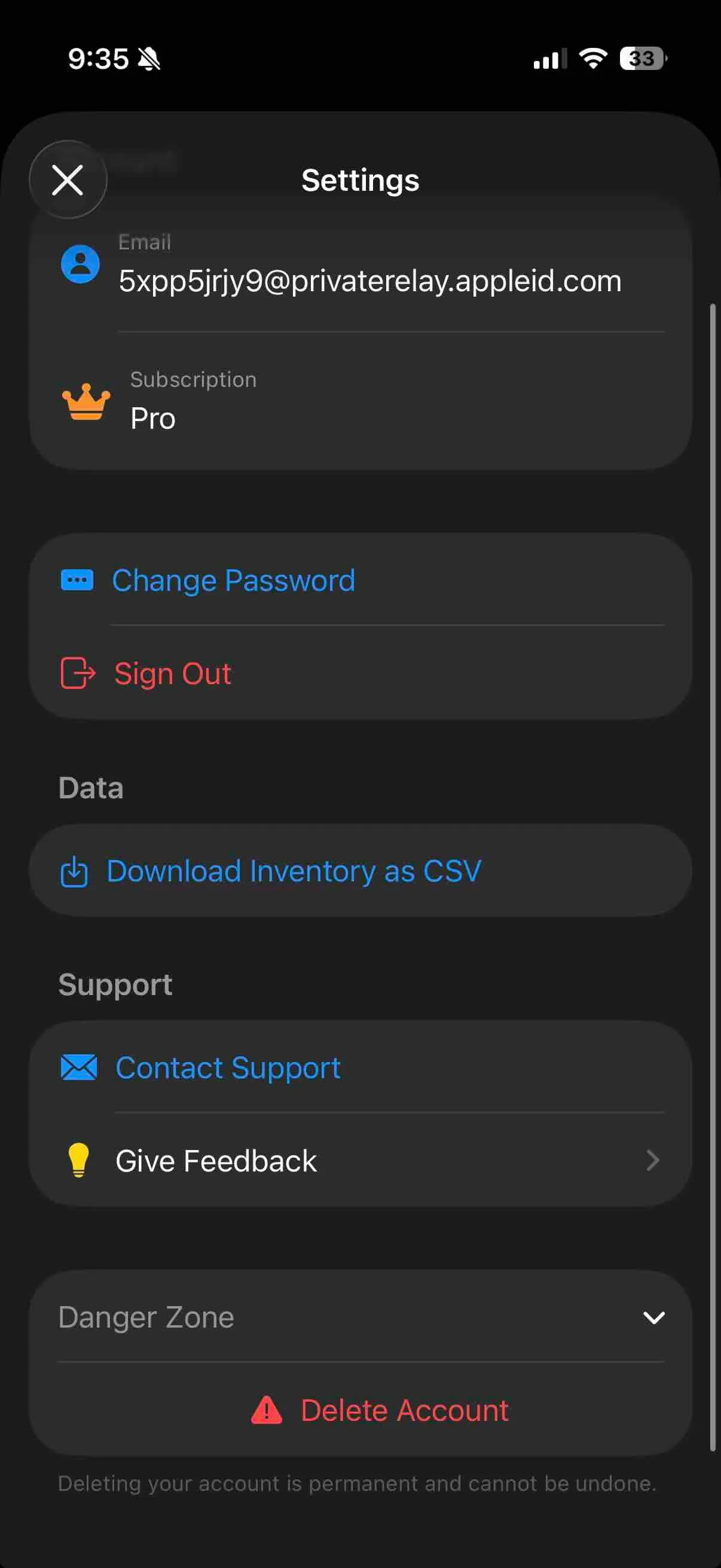
What happens when you delete your account?
- All your personal information will be permanently removed.
- Any totes, items, and labels associated with your account will be deleted and unrecoverable.
- If you used Meta (Facebook), Google, or Apple Sign-In, your StowQR account data will be wiped in compliance with their data deletion requirements.
Need Help?
If you no longer have access to the app, are experiencing issues, or need to request account deletion manually, please contact us.