StowQR Is Now on Android
StowQR for Android is on Google Play. The same QR-coded totes, the same one-photo AI cataloging, the same printable labels, on an Android phone. If you joined the waitlist in May, this is the email you were waiting for.

What you get
Everything the iPhone app does. Not a lite version, not a viewer. The Android app reads and writes the same inventory, so anything you can do on an iPhone you can do here.
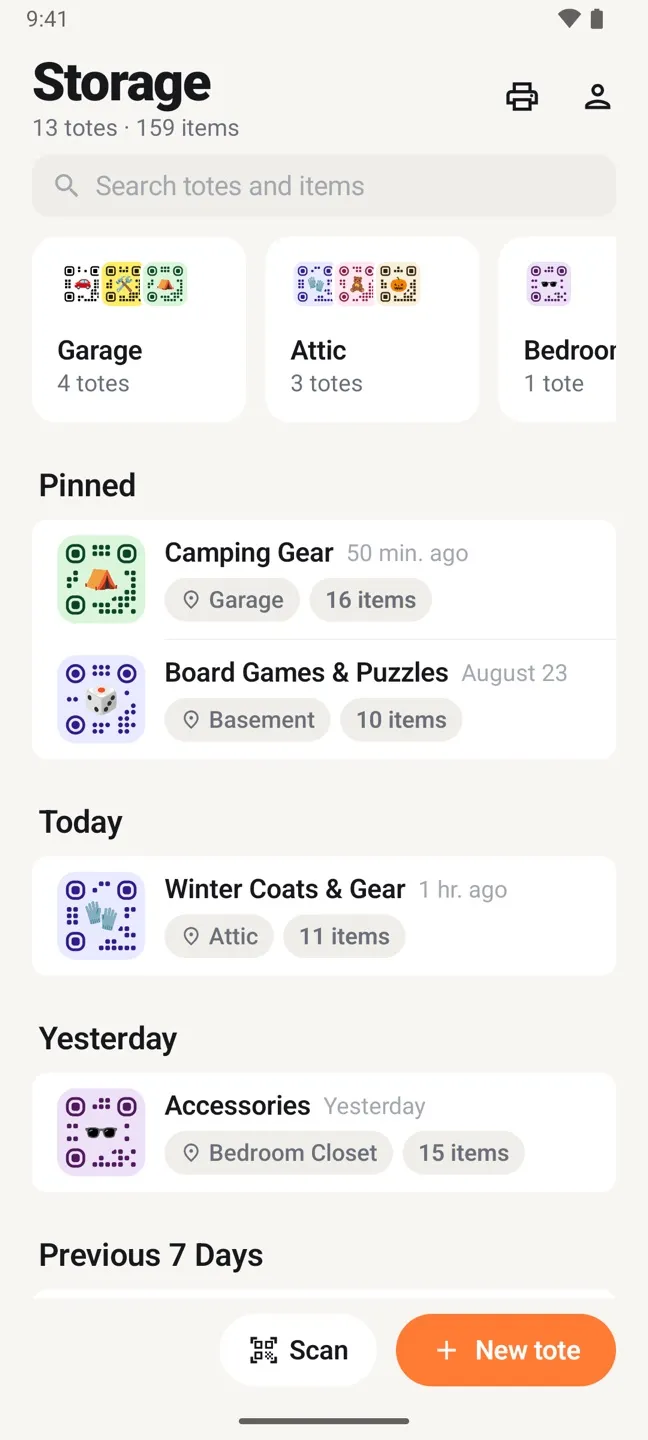
It opens on Storage: your places across the top, pinned totes, then everything else grouped by when you last touched it.
- Itemify. Open a tote, take one photo of what is inside, and every item comes back named with its own cropped thumbnail. A 30-item bin is one photo. Take a second shot of the other half of the bin and the two are merged without double-counting. The Itemify post covers how it works.
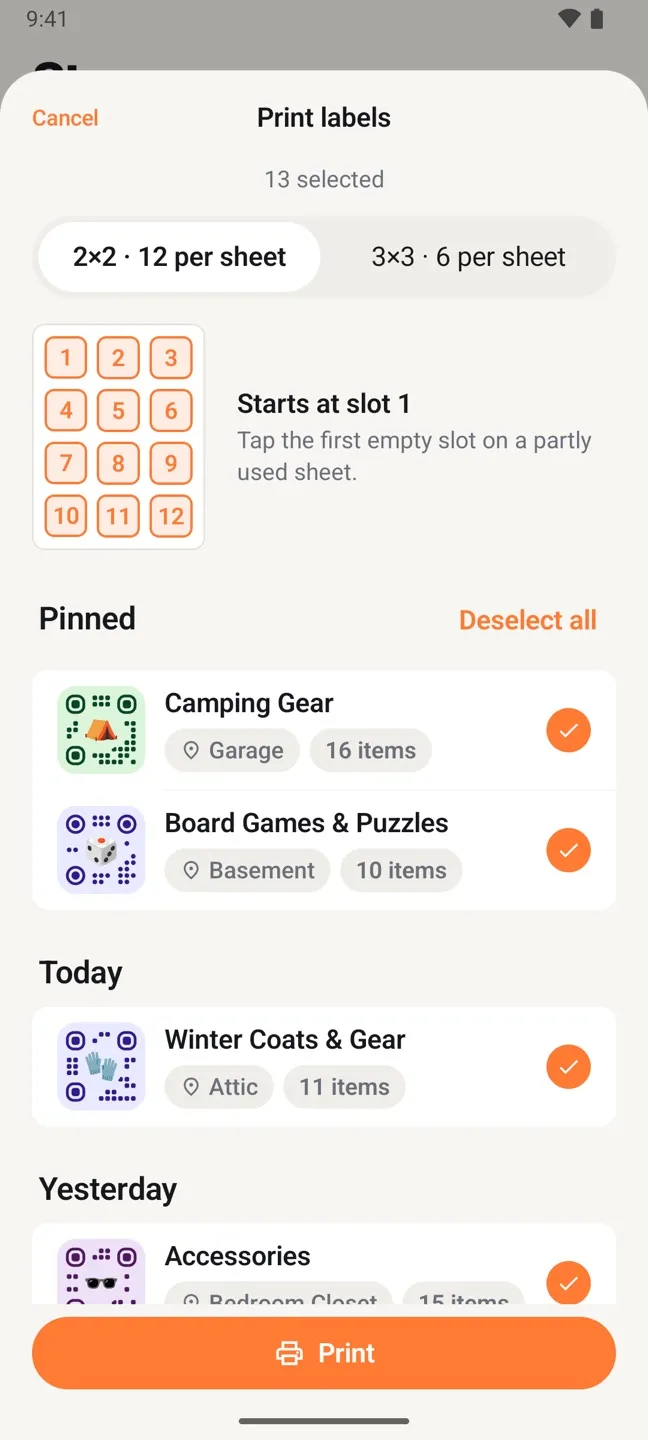
- QR labels you print yourself. Pick a color, an emoji, and a shape for each tote. Tap Print and the Android print dialog sends the sheet to any printer on your network, or saves it as a PDF for later. Plain paper and standard Avery sheets both work. No label subscription, no special hardware.
- Scan and search. Point the camera at a label and the tote opens. Or type a few letters and see which tote holds the extension cord and which shelf that tote is on.
- Places. Garage, Attic, Storage Unit. Group totes by where they physically sit and browse a room at a time.
- CSV export. Download the whole inventory in one file for an insurance record, a moving manifest, or a spreadsheet.
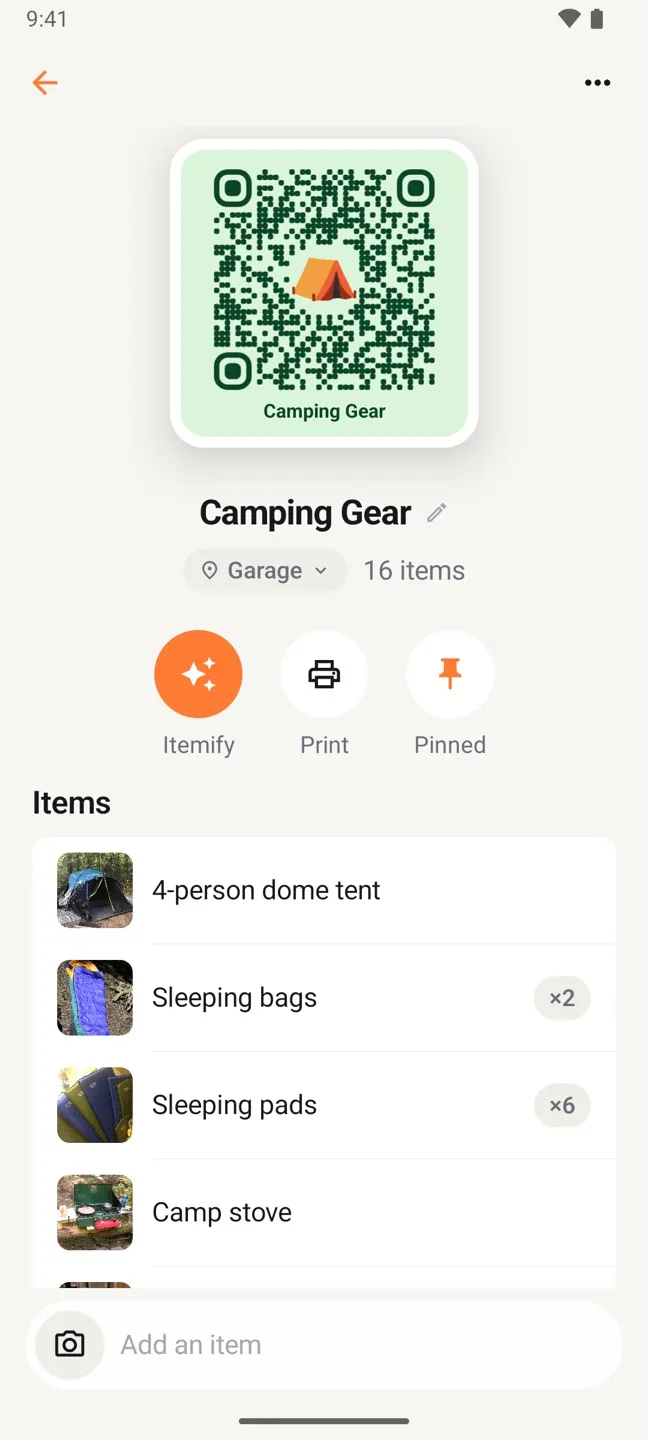
A tote on Android: the label up top, drawn as a sticker with the real QR code on it, then Itemify, Print, and Pin in a row of round buttons.
Items carry a photo and a quantity. Six sleeping pads is one row that reads ×6. The composer at the bottom adds the next item without leaving the screen.
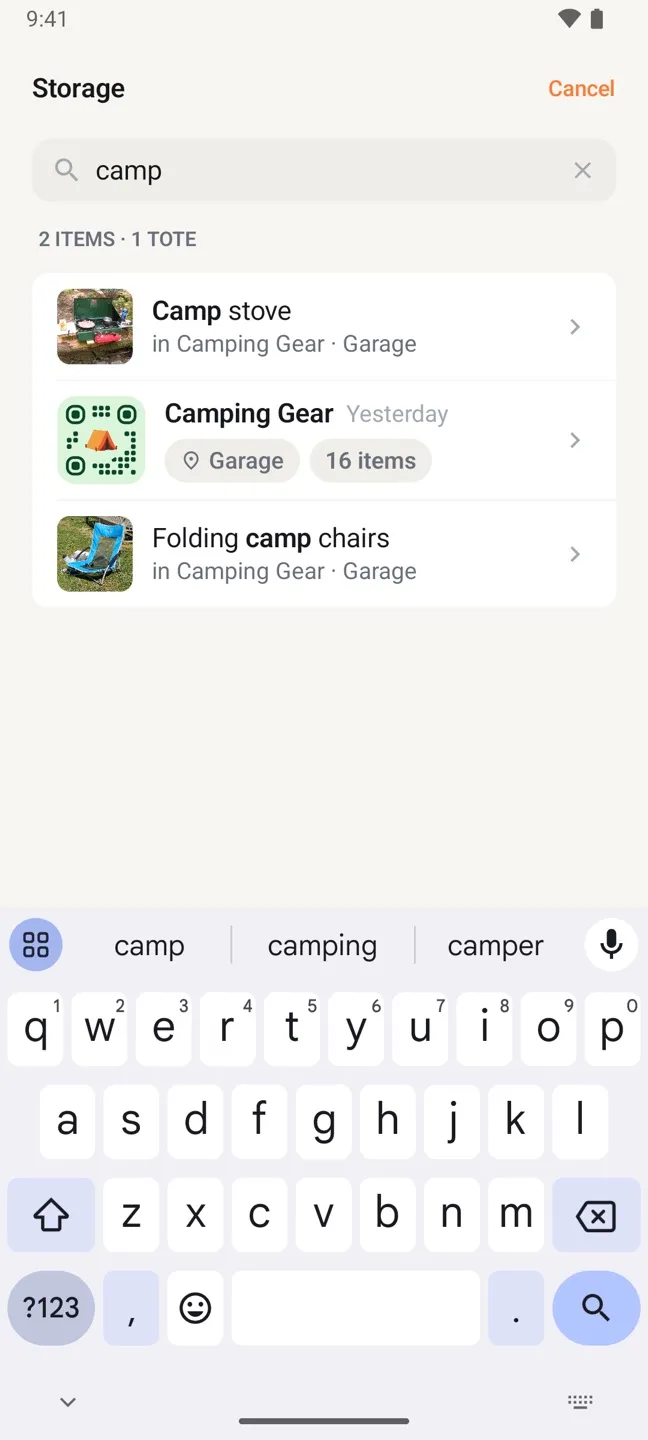
Search ranks items and totes together and says where each one is. Most searches end without a tap; you read the answer off the results.
Print one label or the whole set. Pick 12 or 6 per sheet, tap the first empty slot on a partly used Avery sheet, and hand the job to the Android print dialog.
One inventory for the whole household
The part we hear about most. One person in the house has an iPhone, another has a Pixel, and until now only one of them could use StowQR. Sign in with the same account on both and they see the same totes, the same items, and the same labels. Catalog the holiday decorations on Android in November; find them from the iPad in December.
Sync is real time. Add an item on one phone and it shows up on the other before you have put the lid back on.
Built for Android
This is a native Android app, written in Kotlin with Jetpack Compose and Material 3. It follows your system dark mode, uses the Android print dialog, signs you in with Google or Facebook, and lays itself out properly on a tablet instead of stretching a phone screen. It runs on Android 8.0 and later.
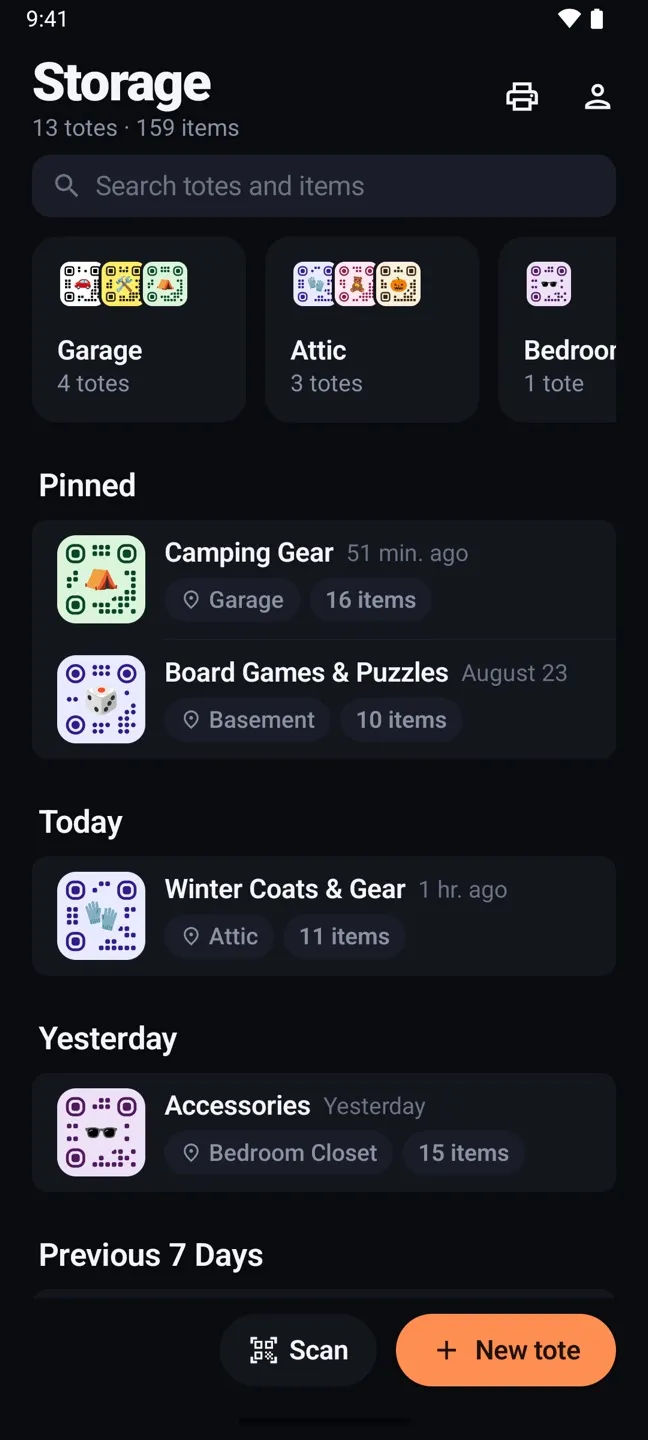
Dark mode is built from the same set of colors as light, not a filter dropped on top. Flip the system setting and the app follows.
It also carries over the new look from the iPhone app: one Storage screen with your places across the top, pinned totes, search under your thumb, and the message-style item composer at the bottom of every tote.
Pricing
Same as iPhone. Three totes are free, with Itemify included. Pro unlocks unlimited totes for $3.99 a month, $29.99 a year, or $99.99 once for lifetime, billed through Google Play. Full details on the pricing page.
FAQ
I have totes in the iPhone app. Do I need to redo anything?
No. Install the Android app, sign in with the same account, and your totes, items, photos, and labels are already there. Labels you printed months ago still scan.
Does Pro carry across platforms?
Yes. Pro is tied to your StowQR account, not to a device. Subscribe on one platform and every device you sign into is unlocked.
What about the web app?
Still in the works. Phones are for scanning; a laptop is for sorting, exporting, and cleaning up. The web app waitlist is open, and we will email you when it ships.
Where do I report a bug?
Settings in the app has a feedback link, or email support@stowqr.com. Android reports go to the same people who build the iPhone app.
Get StowQR for Android
Free for three totes, Itemify included. Sign in with the account you already use on iPhone, or start fresh.