
Sign In to StowQR With Google or Facebook
The fastest password is no password. Starting today, you can sign in to StowQR with your Google or Facebook account — one tap, no forms, no forgot-password emails to fish out of your inbox later.
Two More Ways to Get In
StowQR already supported Sign in with Apple and email/password. With version 1.4.0, we're adding Sign in with Google and Sign in with Facebook to the lineup. Pick whichever account you're already logged into on your phone, tap once, and you're in.
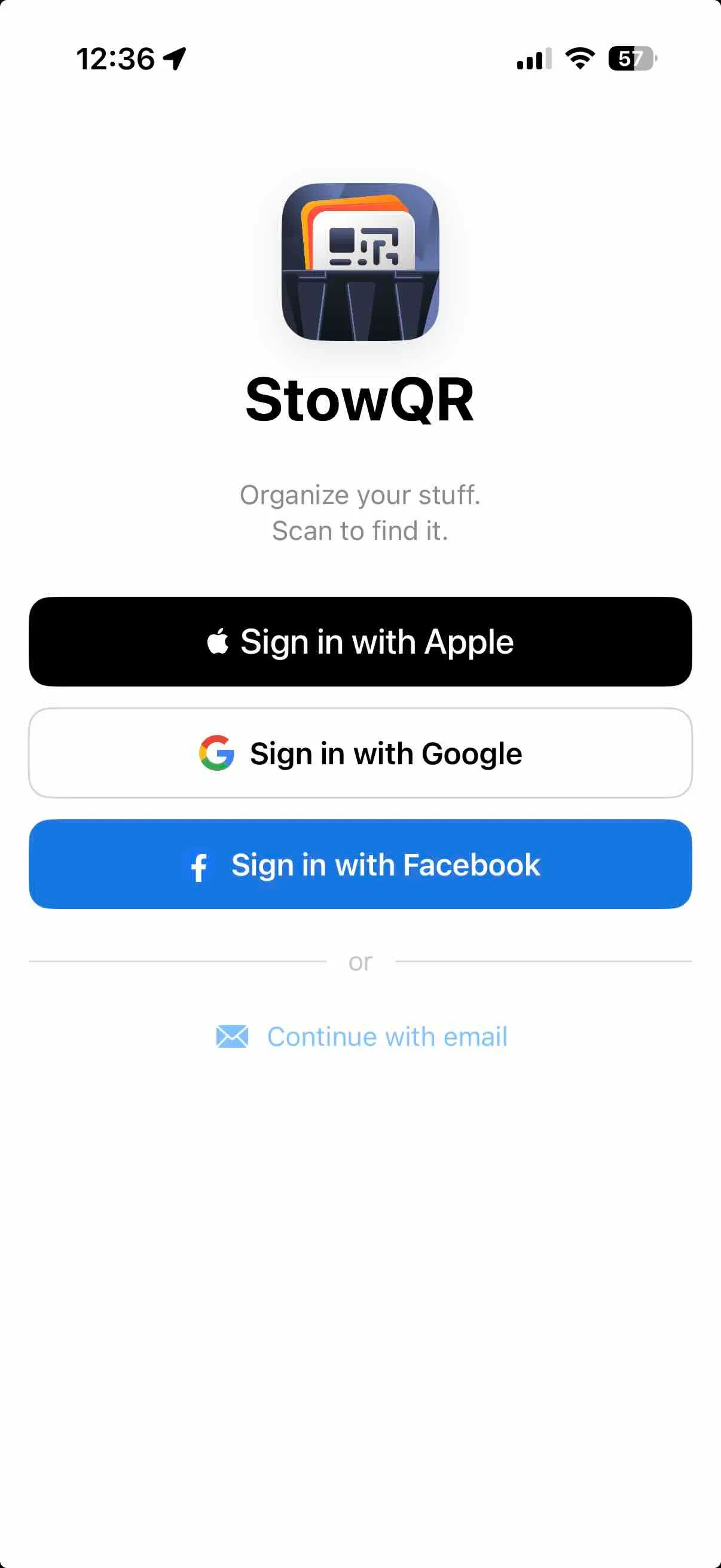
Pick the account you already use — StowQR handles the rest.
Why This Matters
Signing up for a new app is usually the hardest part of trying it. Every extra field is a chance to close the tab. By supporting the identity providers you already trust, we cut that friction down to a single tap, so you can get to the part that actually matters: cataloging your stuff.
It's also just more convenient day-to-day. No password to remember, no reset flow to slog through if you get a new phone. You sign in the same way you sign in to everything else.
Your Data Stays Yours
Signing in with Google or Facebook only verifies who you are. It doesn't give those providers any access to your totes, items, or photos. StowQR only reads the minimum profile info it needs (your name and email) to set up your account. Your inventory lives in your StowQR account, end of story.
Give It a Try
Google and Facebook sign-in are live in StowQR 1.4.0. Open the app, tap the new button on the sign-in screen, and you're organized in seconds.